Password Recovery Software for Personal and Professional Use

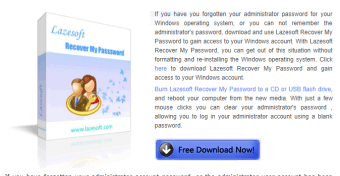
Losing a password can represent a very frustrating situation; especially if you need to immediately access a file. Lazesoft Recover My Password provides a quick and streamlined method which will help users obtain their password in no time at all.

Basic Uses and Functions

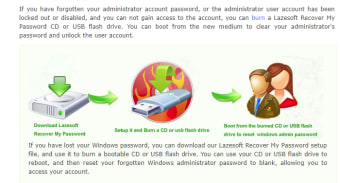
Lazesoft Recover My Password boasts a recovery rate of 100 percent and users can therefore gain access in no time at all. Installation takes only minutes and a handy interface is offered if any questions arise during the process. It is able to reset passwords using bootable CD drives as well as bootable USB devices. This system supports both local and domain administrators; a benefit within the business environment. 32- and 64-bit versions of Windows are also supported by this package.

More Than password Recovery Alone

Lazesoft Recover My Password offers several additional features. These include the ability to disable password expiration dates and to unlock (or lock) specific user accounts. Some of the hard drives currently supported include IDE, SCSI, SATA and RAID Drivers. There are no limits in terms of licensing or distribution.


  • Pros

    • This system guarantees a password recovery rate of 100 percent.
    • It is able to work with the majority of Windows-powered laptops.
  • Cons

    • The free version only provides basic levels of functionality and support.
    • It will not work without the use of a bootable CD or USB drive.
 0/2

App specs

  • License

    Free

  • Version

    4.8
  • Latest update

  • Platform

    Windows

  • OS

    Windows 7

  • Language

    English

  • Downloads

    9.1K

    Last month's downloads

    • 217
  • Size

    85.12 MB

  • Developer

Program available in other languages


User reviews about Lazesoft Recover My Password

Have you tried Lazesoft Recover My Password? Be the first to leave your opinion!

Add review

Top downloads Backup & Cloud Storage for Windows

Top downloads Backup & Cloud Storage for Windows

Top downloads Backup & Cloud Storage for Windows

Related topics about Lazesoft Recover My Password

You may also like

Alternatives to Lazesoft Recover My Password

Explore Apps

Latest articles

Laws concerning the use of this software vary from country to country. We do not encourage or condone the use of this program if it is in violation of these laws.
Softonic

Is Lazesoft Recover My Password safe?

100/100

Score result: Clean

This file passed a comprehensive security scan using VirusTotal technology. It is safe to download.

  • Virus free
  • Spyware free
  • Malware free
  • Verified by Security Partners

    VirusTotal logo

Scan Info

Last scan
Wednesday, January 14, 2026
Scan provider
VirusTotal · Full report

File Integrity

File
Lazesoft_Recover_My_Password_v4.8.exe
SHA256
467934603a2e8cbcd87e11c1c481bd21482c9fca7f8c3d3454a62bda2903435e
SHA1
f9237080507e8ed3e8080e340225a9b84e681386

Softonic security commitment

Lazesoft Recover My Password has been thoroughly scanned by our advanced security systems and verified by industry-leading partners. This file comes from the official developer and has passed all our security checks, showing no signs of viruses, malware, or spyware. For more information, visit our Security and Trust Center